
Ruto
ProductivityThe smartest way to control how links open on your Mac. Route, automate, and streamline your browsing with effortless precision.
Ruto
Every time I clicked a link, I had to think about where it should open. Work stuff in Chrome, personal stuff in Safari, localhost in Firefox. It’s a tiny decision, but it adds up. I wanted my Mac to just know.
Ruto does that. It’s a simple app that routes links to the right browser based on rules you set. Set it once, and it just works.
Installation
brew tap saiumesh535/ruto-bin https://github.com/saiumesh535/Ruto-bin.git
brew install --cask ruto
Or download manually from the Releases page.
How It Works
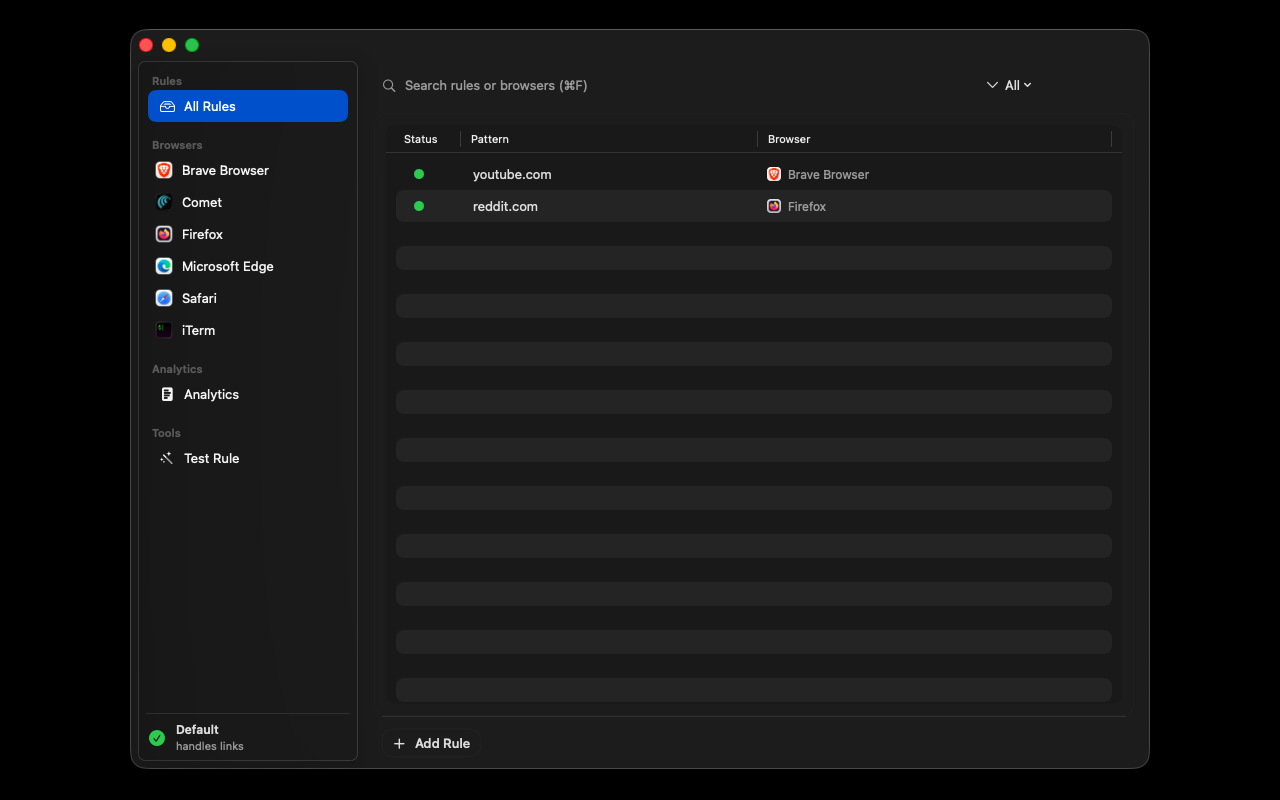
You create rules that match URLs and tell Ruto which browser to use. It can be as simple as youtube.com always opens in Brave or as complex as regex patterns for specific workflows.
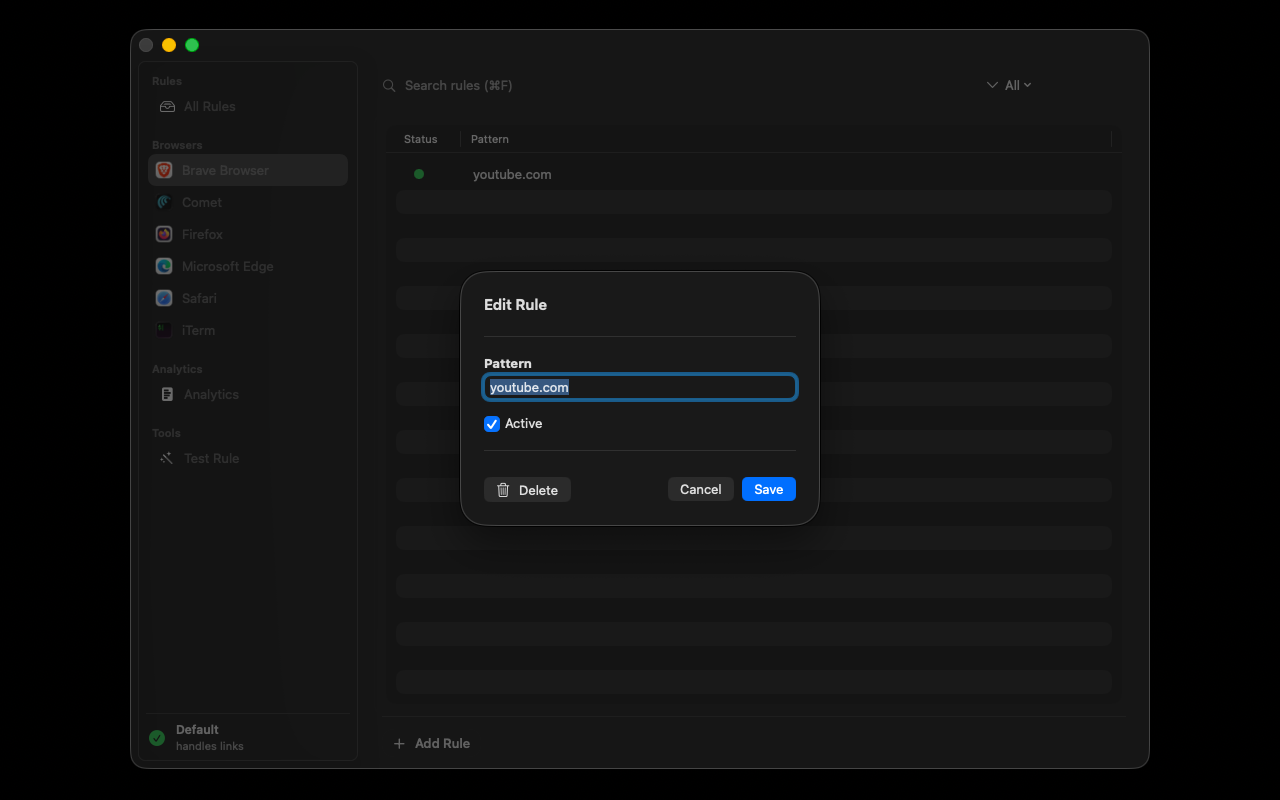
The rules are flexible. You can match exact domains, use wildcards, or write full regex patterns if you need something more specific. I use it to route all my localhost development URLs to Firefox Developer Edition, while keeping work stuff in Chrome and personal browsing in Safari.
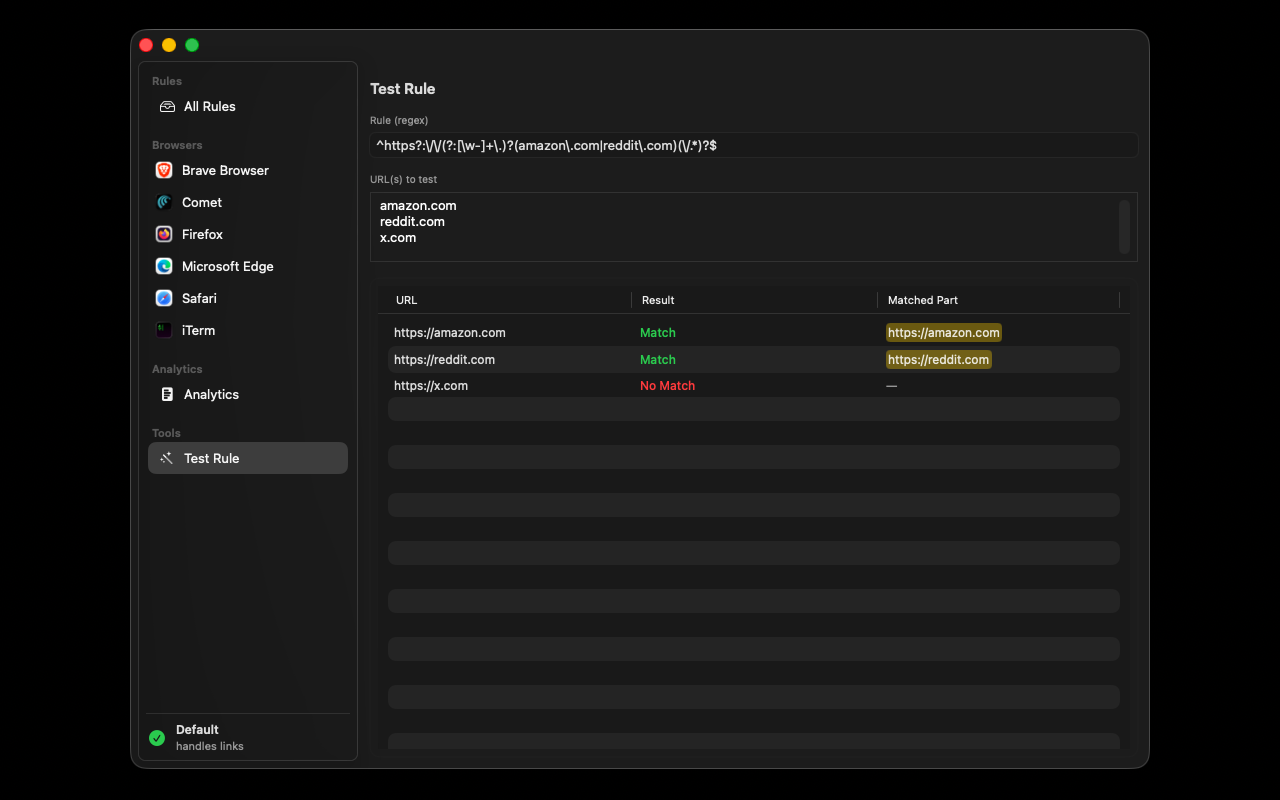
There’s also a built-in regex tester so you can make sure your patterns work before saving them. No more guessing if your regex is correct.
Analytics
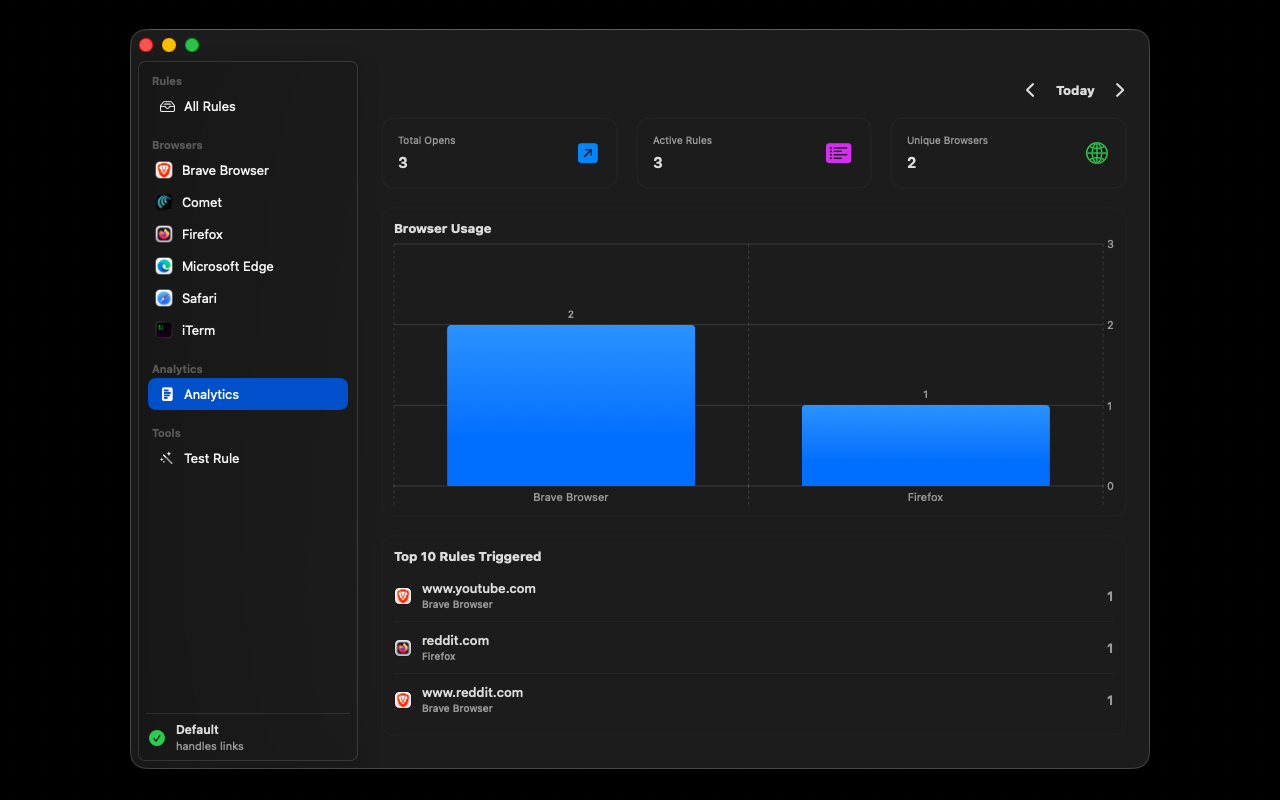
I added analytics because I was curious about my own browsing patterns. It shows which rules trigger most often, which browsers you use the most, and trends over time. It’s actually pretty interesting to see how you browse.
Works With Everything
Ruto works with all the browsers I could think of: Chrome, Firefox, Safari, Brave, Arc, Edge, Orion, and even browser profiles. If you use multiple Chrome profiles for work and personal, Ruto can route to the right one automatically.
Simple Design
I kept the design minimal and native. It lives in your menu bar, runs quietly in the background, and doesn’t get in your way. The interface uses standard macOS patterns, so it feels familiar from the first time you open it.
If you’re someone who uses multiple browsers or needs to keep work and personal browsing separate, Ruto might be useful for you. It’s one of those tools that you set up once and then forget about—until you realize how much time it’s saving you.
